Put QuarterMates on Your Home Screen
Talking to sailors at HISWA te Water confirmed what our own numbers already hinted at: QuarterMates lives on people's phone. A native app is on the way, but you don't have to wait to get an app-like icon on your home screen.
We spent a few days at HISWA te Water talking to skippers and crew, and one thing came up again and again: while skippers like to set up their season plan on a Desktop computer, most crew manage their racing from their phones. They check who's in for Sunday while walking the dog or tap "in" for the next race while stepping off the pontoon.
A Native App Is Coming
So we're building for mobile first. A proper native QuarterMates app for iOS and Android is in the works. It will come with push notifications the moment a race is posted, faster load, and all the good stuff. That's a few months out, and we'll announce it right here when it lands.
In the Meantime: The Home-Screen Trick
Here's the thing you may not know yet: you don't have to wait. QuarterMates is built as a modern web app, which means your phone can "install" it straight from the browser. You get an icon on your home screen, it opens full-screen without the browser bars, and it behaves almost exactly like a native app. No App Store, no download, 20 seconds.
Here's how, on an iPhone:
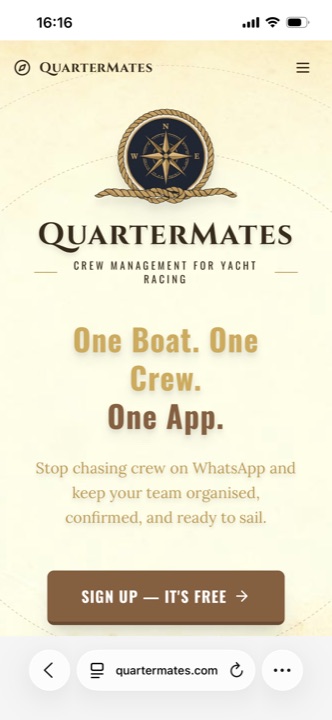
1. Open quartermates.com in your browser, then open the browser menu. Tap the menu button in the toolbar (the three lines, or the share icon depending on your browser).
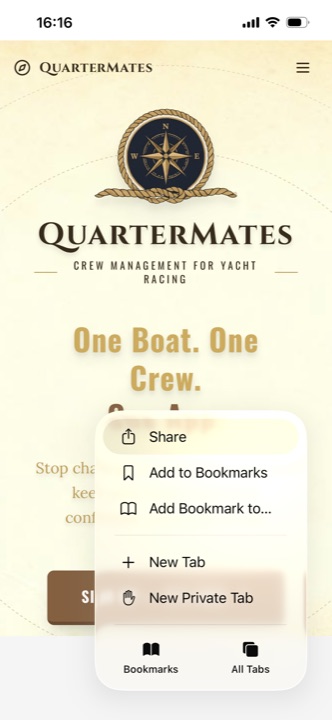
2. Tap "Share". This opens your phone's system share sheet, the same one you use to send a link to a friend.
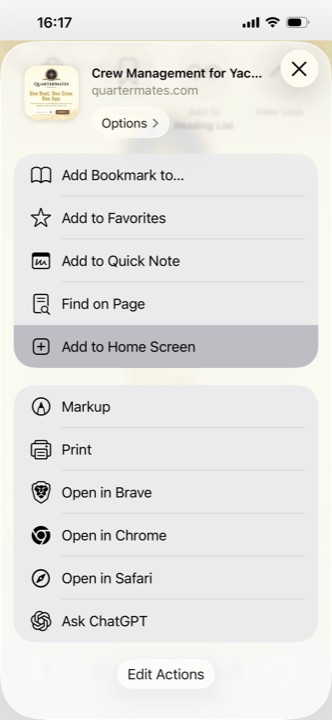
3. Choose "Add to Home Screen". Scroll down the share sheet until you see it, and give it a tap.
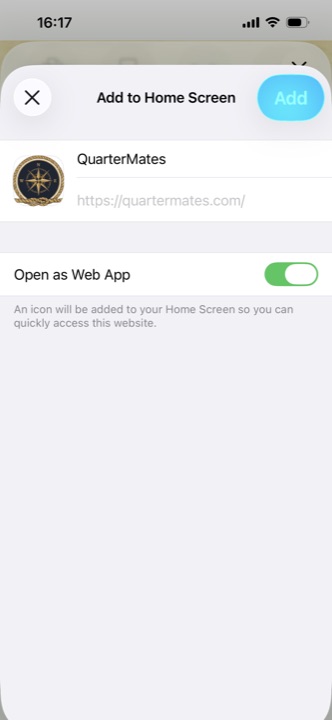
4. Tap "Add". Leave "Open as Web App" switched on, that's what makes it launch full-screen like a real app. Confirm, and the QuarterMates compass appears on your home screen.
That's it. Tap the new icon and you're straight into your boat, no typing a web address, no browser clutter.
On Android
The steps are almost identical in Chrome: open quartermates.com, tap the three-dot menu, and choose "Add to Home screen" (sometimes shown as "Install app"). Same result: a QuarterMates icon on your home screen.
Give it a try before your next race, and tell your crew to do the same. It makes tapping "in" over beers at the club house that little bit easier.
Fair winds, Tilman

Tilman
Skipper · QuarterMates
Join the Waitlist
Be among the first skippers to try QuarterMates.